past Aruba Switch PortfolioI've previously described the AOS-CX switch in my previous post. Today, I'd like to explain the architecture of the AOS-CX operating system and switch.
AOS-CX software architecture
The AOS-CX switch is Equipped with a cloud native operating systemAs I mentioned, this is because it's a state-of-the-art database-based network operating system that automates and simplifies many critical and complex network tasks. The built-in time series database allows customers and developers to use software scripts to not only troubleshoot past issues but also analyze past trends. This allows you to predict and prevent potential problems related to scalability, security, and performance.
Additionally, the AOS-CX operating system is built on a modular Linux architecture featuring a stateful database (Configuration & State Database). The Current State Database (CSD) is a key component of the AOS-CX software architecture. All software processes communicate with the database rather than with each other. This model ensures near real-time operation and resiliency.
You can independently upgrade software modules using the current state database.

The diagram above illustrates how processes, such as a history database or protocol, interact directly with the database without communicating with each other. This simplified approach allows all processes to communicate with the database using a single language. Without this model, processes would likely communicate directly, which would ultimately be inefficient and waste CPU resources.
Additionally, the database maintains the current configuration, all functionalities, and statistical status. The integrated database ensures that all information is available in a single location. Therefore, interactions between the databases are facilitated through a single, open API.
The figure above also shows how to synchronize information between the Active Management Module and the Standby Management Module. This reduces downtime by creating a fault-tolerant system.
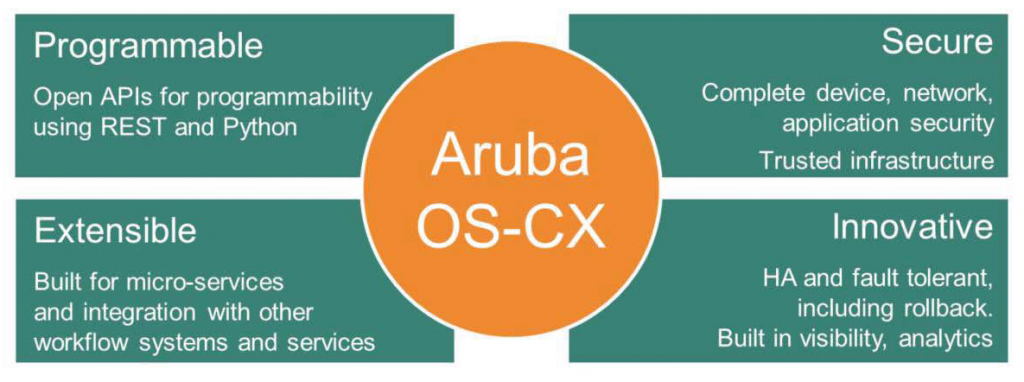
These databases enable AOS-CX to provide the following unique capabilities:.
- Unparalleled network visibility and analytics provide easy access to all network status information.
- REST API and Python scripts available for fine-grained programming of network operations.
- Microservice architecture that allows for seamless integration/interoperability with other workflow systems and services.
- Provides excellent fault tolerance and high availability (HA) through continuous state synchronization.
- Applying security best practices for a trusted platform
AOS-CX hardware architecture (modular switch)
Modular switches, such as the Aruba 8400 or 6400 switches, have an architecture that includes three main components: a management module, fabric modules, and line cards.
- Management Module: This component has the following primary purposes: It runs the Management Plane for monitoring and configuration services. It also runs the Control Plane, which implements protocols and algorithms to define what to do with incoming information.
- Fabric Module: This component interconnects multiple line cards mounted on a switch. Fabric cards forward data between incoming and outgoing line cards. Because this module makes decisions based on information derived from data packets, it is considered part of the data plane or forwarding plane.
- Line Card: This component operates on the forwarding plane, determining where traffic should be sent. Data that needs to be forwarded to other ports on the same line card uses a process within the line card. Traffic destined for other line cards is forwarded through the fabric module, which then selects the appropriate destination.

The diagram above briefly illustrates each component and the communication between them.
NAE
This tool utilizes state database and time series database to provide analysis and visibility into the network environment. NAE (Network Analytics Engine)Built into the AOS-CX switch, this engine provides easier and simpler troubleshooting and visibility into complex networks.

The Aruba Network Analytics Engine (NAE) is a built-in framework for AOS-CX switches to ensure network performance and troubleshoot issues. Combining the deep visibility of AOS-CX with full automation capabilities, this framework enables monitoring, troubleshooting, and easy network information collection through a simple scriptable agent.
This framework analyzes issues in real time, providing administrators with insights that allow them to resolve issues or take corrective action based on pre-defined policies. When anomalies are detected, additional data and statistics can be collected before problems arise.
AOS-CX Key Features
Now, let’s take a look at the features of AOS-CX.
As of February 2021, the features of AOS-CX have been updated to version 10.6.,
Today's posting will be based on version 10.4.
Layer 2
- VLAN feature support for 802.1q
- Jumbo frame support
- VxLAN Encapsulation Protocol
- Supports RSTP (Rapid Spanning Tree Protocol) / RPVST+ (Rapid Per-VLAN Spanning Tree) / MSTP (Multiple Spanning Tree Protocol)
- IGMP (Internet Group Management Protocol)
- Port Mirroring
Layer 3
- BFD (Bidirectional Forwarding Detection)
- Open Shortest Path First (OSPF) & Border Gateway Protocol (BGP)
- ECMP (Equal Cost Multipath)
- Multi-Protocol BGP
- Static Routing
- Policy-based Routing
- IP Performance Optimization
- IPv6 Capabilities
- PIM (Protocol Independent Multicast)
Security
- ACL (Access Control List) for IPv4 & IPv6
- RADIUS
- TACACS+
- Control Plane Policy
- 802.1x & MAC, web-based authentication
- DHCP Protection
- Switch CPU Protection
- Identity-driven ACL
HA & Resiliency
- VRRP (Virtual Router Redundancy Protocol)
- UDLD (Uni-Direction Link Detection)
- Link Aggregation Control Protocol
- Aruba Virtual Switching Extensions (VSX)
In addition to what is described, we are continuously providing new features with firmware version updates.
This is Aruba Support PortalYou can check it through the Release Notes.
※ The above function is based on AOS-CX 10.4, and more detailed information can be found on the website below.
https://www.arubanetworks.com/products/switches/network-switch-software/