

Explore the CX Switch with the AOS-CX Switch Simulator
Aruba has released the AOS-CX switch simulator. Let's take a look at it today.
Many people have asked why Aruba doesn't provide a simulator for training or experience.
Although they did provide an OVA file, I had to find, install, and test it on my own without any guidance or guide.
AOS-CX switches are next-generation cloud native switches.It's different from existing legacy switches in both its operational method and the features it offers. Therefore, to properly master this new and complex system, it was necessary to first learn and experience it, and then test it before applying it in a real-world environment.
Aruba's software development team recognized the need for such a simulator from the beginning of the development of the new OS. Therefore, they created an OVA file alongside the development of the AOS-CX switch operating system.
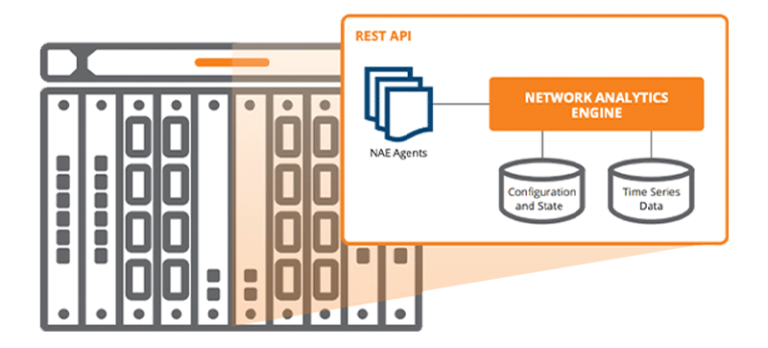
When we built the first prototype, we implemented features such as configuring functionality via the CLI, accessing it via the REST API, and installing the NAE agent. Until now, these simulators have been provided and used only by select customers, partners, and Aruba employees.
This simulator has been continuously developed with feedback from many users, and Aruba has now made it available to the public.
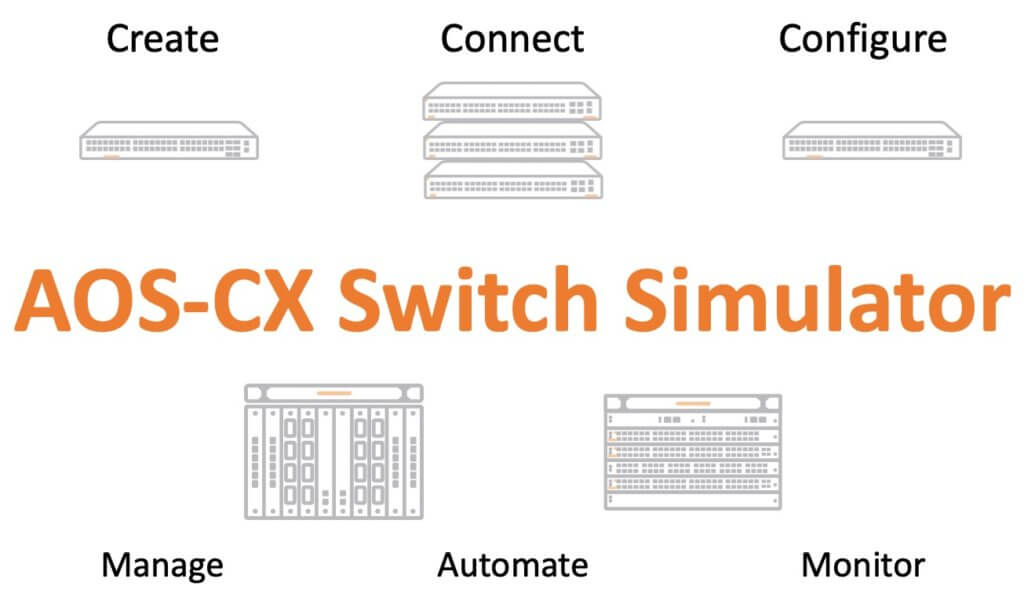
The AOS-CX Switch Simulator is a virtual machine version of an ArubaCX switch. The ASIC simulator manages device operation through the AOS-CX operating system, as well as provides control, switching, and routing functions.
You can use the AOS-CX Switch Simulator together with ClearPass, and also test unique features of the AOS-CX switch such as NetEdit or NAE.
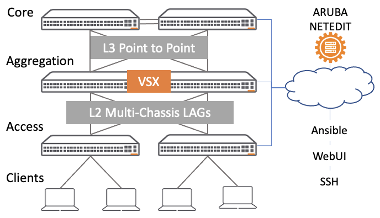
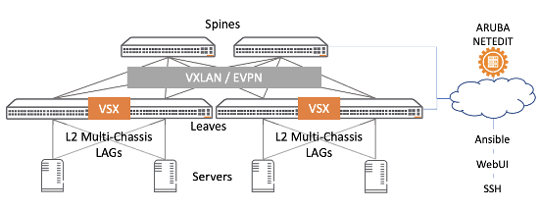
From downloading and installing to configuring the Lab and various tips Aruba Airheads CommunityYou can check it out here.
![[완전 기초 가이드] 광케이블 꽂으려면 지빅 필요한 거 아니에요?](https://egstory.net/wp-content/uploads/2026/08/2025-08-29-00.01.24-1-768x427.jpg)
![[ACP-DC 교육#4] 데이터센터 네트워크 구축](https://egstory.net/wp-content/uploads/2025/07/HPE-Pointnext-Services-technology-services-consulting-DCMS-768x512.png)
![[Aruba DevNet 2강] 엑셀 지옥 탈출! 파이썬으로 3초 만에 장비 자산 현황 정리하기](https://egstory.net/wp-content/uploads/2026/01/aruba-central-768x429.png)
![[ACSA 교육#15] AOS-CX CLI 접속](https://egstory.net/wp-content/uploads/2021/02/maxresdefault-768x432.jpg)