Edge Study

  • [ACSA Training #18] ICMP and PoE

    You intend to add a new printer to an ICMP network and use it with a laptop. In this case, you will need to verify that the network is properly configured to ensure normal network communication between the two devices. ICMP helps resolve these issues. The Internet Control Message Protocol (ICMP) is a protocol belonging to the Internet Protocol. Network…
  • [ACSA Training #17] Basic Settings Commands

    After purchasing a switch, you must perform a few tasks before connecting it to the network. These include tasks such as setting the switch name or configuring the interfaces. So today, we will look at the very basic configuration commands for the AOS-CX switch. Hostname Configuration: Unless there is only one switch, you must assign a name to each switch. Therefore, in a large-scale network environment…

  • [ACSA Education #16] Show Command

    In today's post, we will explore the general functions of networking equipment along with very basic commands that help verify networking devices. This is the most important information to learn during the entry-level course, and excellent network engineers and administrators in the future must be proficient in verifying the actual state of network connections. Through this information, existing…

  • [ACSA Training #15] AOS-CX CLI Access

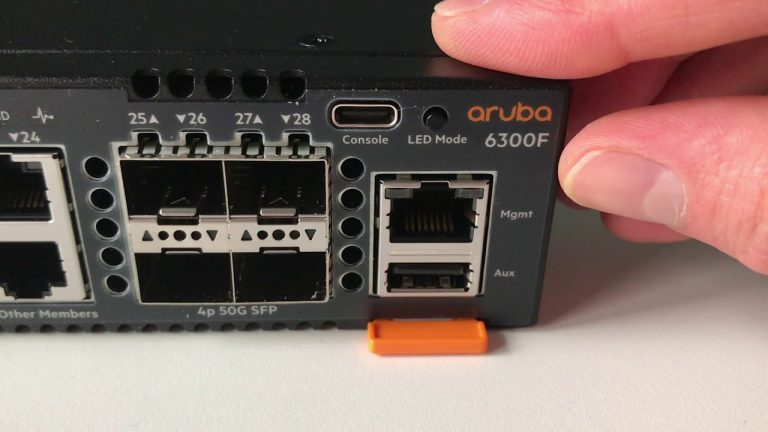
    There are several ways to connect to an Aruba CX switch. One of them is likely connecting via the console port. When initially configuring a switch, OOBM (Out-of-Band Management) is typically used through the console port. This special console port is installed on all switch models and types to facilitate configuration, troubleshooting, and management. Of course, the switch…

  • [ACSA Training #14] AOS-CX Architecture

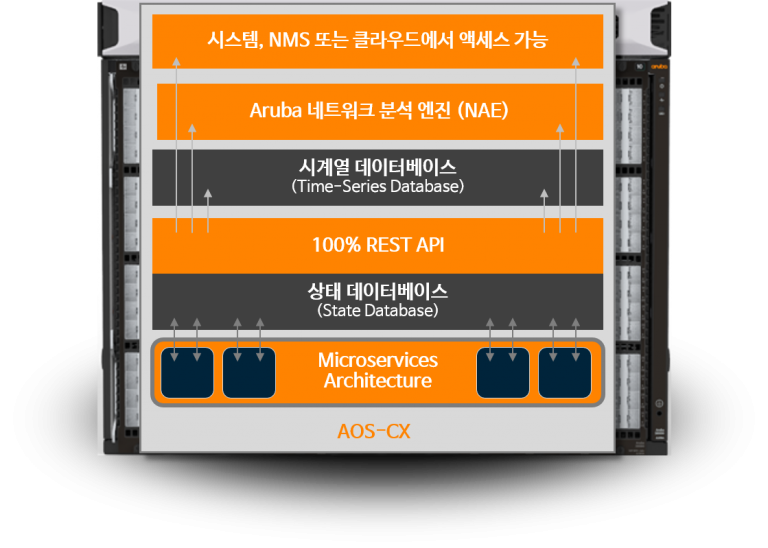
    I previously explained the AOS-CX switch while describing the Aruba switch portfolio. Today, I would like to explain the architecture of the AOS-CX operating system and the switch. AOS-CX Software Architecture: As I mentioned, the AOS-CX switch is equipped with a cloud-native operating system. Since this is a modern database-based network operating system that automates and simplifies many important and complex network tasks…

  • [ACSA Education #13] Hierarchical Model

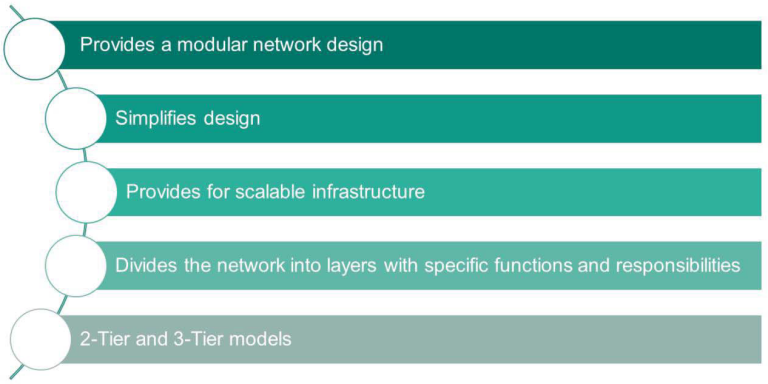
    When designing networks, there is much discussion about hierarchical design. In English, it is referred to as a Hierarchical Model. Let’s take a look at why this is necessary. A hierarchical model provides the network in a modular form. Ultimately, this simplifies the design and provides for future infrastructure expansion. Therefore, the network is divided into layers, and each layer has specific functions and responsibilities…

  • [ACSA Education #12] Wi-Fi Frame

    Wi-Fi, a technology that we now take for granted and has become commonplace. Wi-Fi is a technology used at Layer 1 and Layer 2 in wireless communication. The biggest difference from the wired technology Ethernet is that Wi-Fi has two additional frames besides the data frame. This is because it is directly related to the transmission of the payload between an endpoint device, such as a smartphone, and a wireless access point (AP)…

  • [ACSA Education #11] Network Services

    In this post, I would like to introduce a few very commonly used network services. First is DHCP (Dynamic Host Configuration Protocol). Every terminal on a TCP/IP network requires an IP address. Of course, it can be configured manually, but how much of a workload would that entail if you manually assigned hundreds or thousands of IP addresses? In an even worse case, to use within the company…

  • [ACSA Training #10] Network Devices

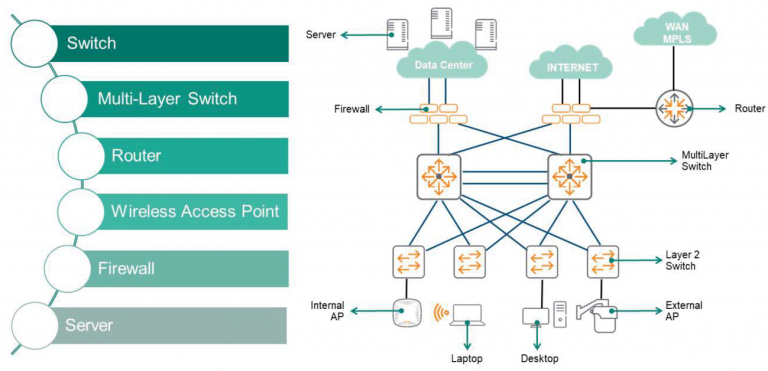
    In an enterprise network environment, hundreds or thousands of computer devices enable digital communication using different network elements. Today, we would like to discuss network devices typically deployed in LAN Campus networks. Layer 2 switches, Layer 3 routers, multi-layer switches, wireless access points (APs), firewalls, and server switches. Switches have multiple ports…

  • [ACSA Training #9] UDP Header

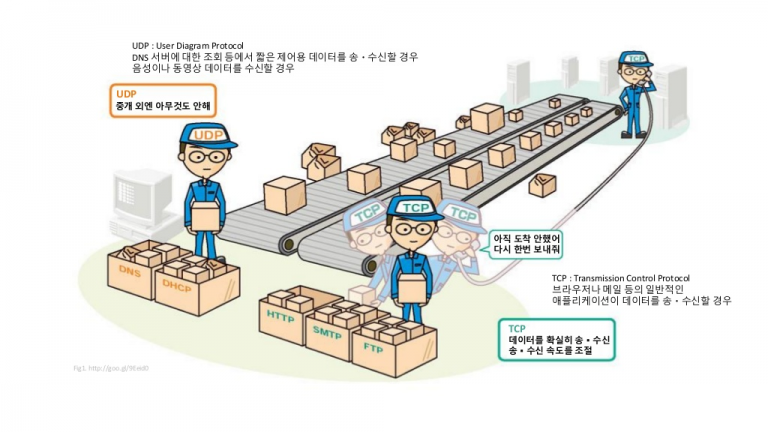
    In the last post, we looked at TCP. TCP and UDP are the representative protocols used in the Layer 4 transport layer. So today, let's take a look at UDP. If you look at the figure, you can see how simple the UDP header is compared to the TCP header. It has source and destination ports, which are used just like TCP, and only length and checksum fields. From an application's perspective…