

Using the CX Mobile App
The Aruba CX Mobile App is a tool for deploying and configuring ArubaOS-CX switches.
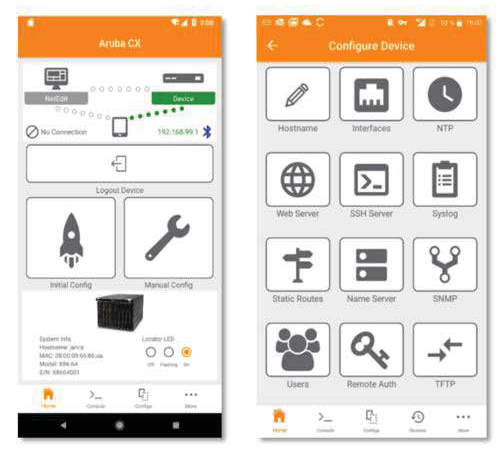
You can connect via Wi-Fi or Bluetooth using an Apple iPhone or Android smartphone without physically connecting the switch. Connected switches can be easily monitored and even configured using workflows and templates.
You can also monitor and configure not only single switches but also virtual switch stacking information, PoE usage, etc.
This application was developed to reduce the complexity of switch configuration and facilitate easier installation in large-scale deployment environments. It allows you to verify that the switch is properly installed and configured without relying on network administrator confirmation.
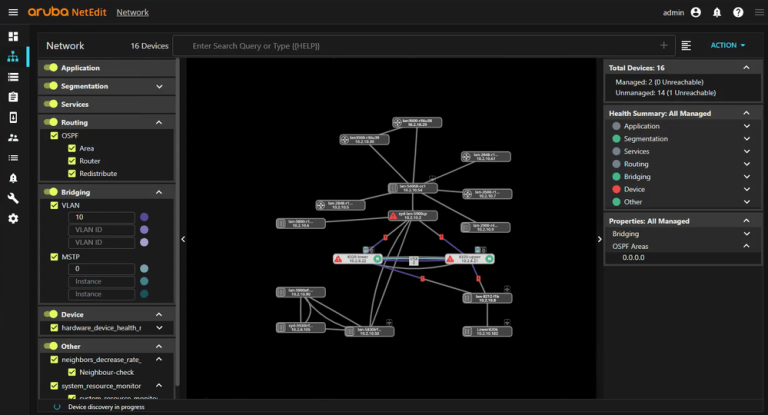
And it can be integrated with NetEdit for more intelligent configuration management and overall network health monitoring.
CX Mobile App Key Features
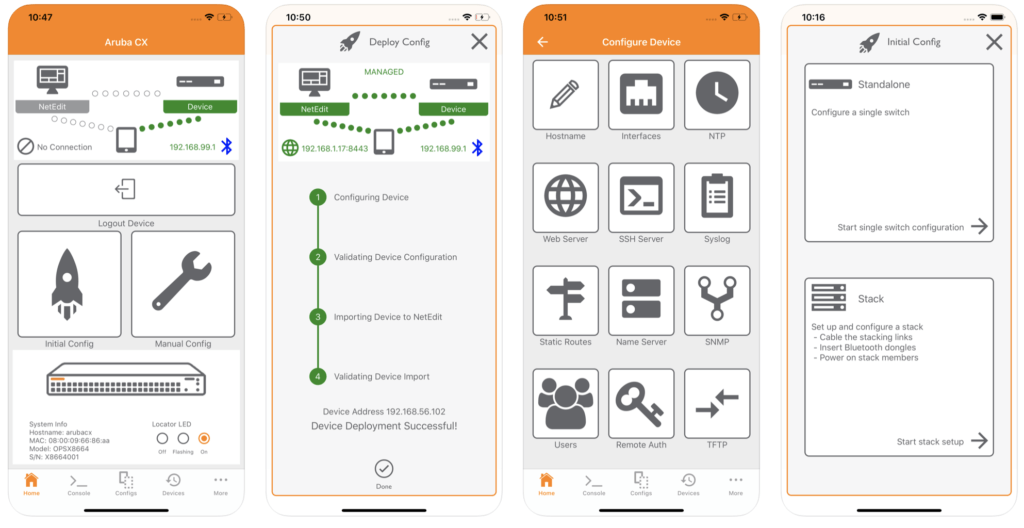
The CX mobile app includes the following key features:.
- Use Wi-Fi or Bluetooth to communicate with ArubaOS-CX switches.
- Works on Apple iOS 12 or later, Android 5.0 or later platforms
- No separate console cable required for configuration and settings required for basic operation
- Built-in configuration templates and separate customization possible
- Quickly and easily check running and startup configuration information
- CLI access to the switch is possible
- Check PoE capacity and monitor usage
- File transfer between Switch and mobile devices
- Role Based Access Control (RBAC)
- Integrated HTTPS firmware update
- Stacking Automation
If you used to have to lug around a laptop and console cable to monitor or configure network equipment in your data center or telecommunications room, you can now install, configure, and monitor ArubaCX switches with just a tablet PC.
Our era is becoming increasingly modernized and we are becoming accustomed to the wireless environment.
Now you can operate your Switch with the CX Mobile App, without even needing a console cable!
![[ACSA 교육#23] 프레임 전송 과정](https://egstory.net/wp-content/uploads/2021/03/laptop.GettyImages-683980848-768x512.jpg)
![[ACSA 교육#29] Rate Limit & Loop Protection](https://egstory.net/wp-content/uploads/2021/06/IMG_6132-768x577.jpg)
![[ACSA 교육#36] 라우팅 프로토콜](https://egstory.net/wp-content/uploads/2021/08/airport.GettyImages-996928558-768x512.jpg)
![[Icinga로 모니터링 1편] Icinga 2와 기본 연동 – SNMP & REST API](https://egstory.net/wp-content/uploads/2026/09/dashing_icinga2_overview-768x452.png)