Using the CX Mobile App

⏱️ Estimated reading time: Approx. 2 minutes (2 min read)

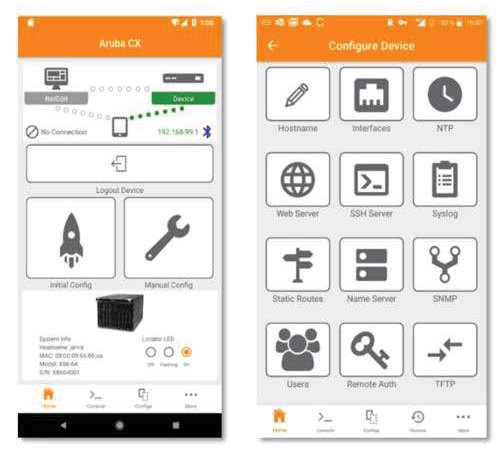
The Aruba CX Mobile App is a tool for deploying and configuring ArubaOS-CX switches.
CX Mobile App 활용하기 - image 17

You can connect via Wi-Fi or Bluetooth using an Apple iPhone or Android smartphone without physically connecting the switch. Connected switches can be easily monitored and even configured using workflows and templates.

You can also monitor and configure not only single switches but also virtual switch stacking information, PoE usage, etc.

This application was developed to reduce the complexity of switch configuration and facilitate easier installation in large-scale deployment environments. It allows you to verify that the switch is properly installed and configured without relying on network administrator confirmation.

And it can be integrated with NetEdit for more intelligent configuration management and overall network health monitoring.

CX Mobile App Key Features
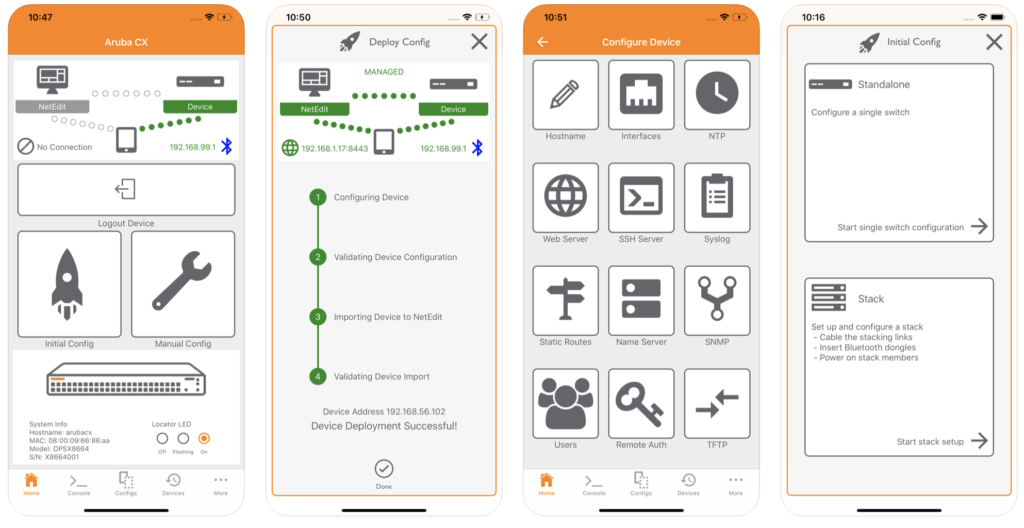
CX Mobile App 활용하기 - image 18

The CX mobile app includes the following key features:.

  • Use Wi-Fi or Bluetooth to communicate with ArubaOS-CX switches.
  • Works on Apple iOS 12 or later, Android 5.0 or later platforms
  • No separate console cable required for configuration and settings required for basic operation
  • Built-in configuration templates and separate customization possible
  • Quickly and easily check running and startup configuration information
  • CLI access to the switch is possible
  • Check PoE capacity and monitor usage
  • File transfer between Switch and mobile devices
  • Role Based Access Control (RBAC)
  • Integrated HTTPS firmware update
  • Stacking Automation

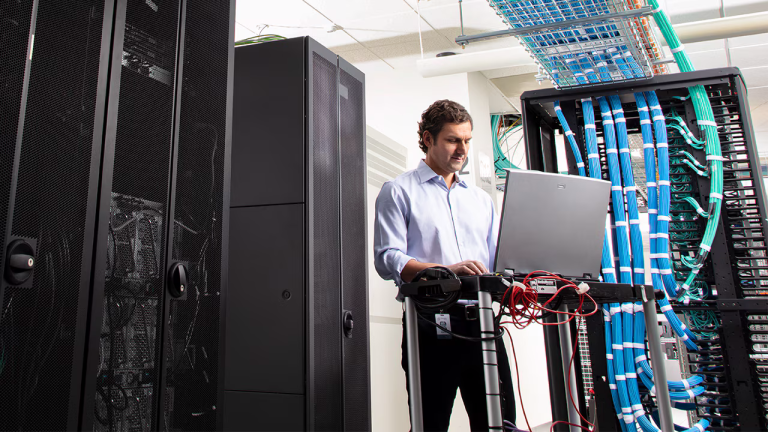
If you used to have to lug around a laptop and console cable to monitor or configure network equipment in your data center or telecommunications room, you can now install, configure, and monitor ArubaCX switches with just a tablet PC.

Our era is becoming increasingly modernized and we are becoming accustomed to the wireless environment.
Now you can operate your Switch with the CX Mobile App, without even needing a console cable!

Similar Posts

  • Configuring RoCE in AOS-CX (1) – Theory

    ⏱️ Estimated read time: Approx. 8 minutes (8 min read) Today's mission-critical storage environments require higher consistency, predictability, and performance to meet high business demands. Data centers require more I/O capacity to accommodate vast amounts of data, applications, and workloads. Along with this surge in data…

  • [ACSA Training #27] How RSTP Works

    ⏱️ Estimated read time: Approx. 10 minutes (10 min read) RSTP (Rapid STP) operates a loop-free topology through the following algorithm: Select Root Switch Select Root Ports (RPs) of all other non-root switches or non-designated bridge switches Select Designated Ports (DPs) of links connected between each switch Other…

  • [ACSA Training #7] IPv4 Header

    ⏱️ Estimated read time: Approx. 2 minutes (2 min read) The figure shows the IPv4 header information added to Layer 3 packets. The important fields in the header are as follows: TTL (Time To Live): This field indicates the validity period of the data as a method to prevent infinite packet looping at Layer 3. If the router is incorrectly configured, the IP packet two…

  • AOS-CX CLI Commands (1)

    ⏱️ Estimated read time: Approx. 5 minutes (5 min read) HPE Aruba Networking's wired mainstream is the AOS-CX switch. It is a product that goes beyond traditional switching capabilities and aims for cloud-native through a microservices architecture. Not only can it monitor and analyze various metrics and logs in real-time through its own internal database, but regarding all switch functions…

  • [ACSA Education #31] Static & Dynamic LAG

    ⏱️ Estimated reading time: Approx. 6 minutes (6 min read) In the previous post, we briefly looked at LAG (Link Aggregation Group). LAG has two operating modes: Static LAG and Dynamic LAG. Let's take a look at them in turn. Static LAG In Static Link Aggregation mode, there is some kind of control between devices…

  • How to Use AI Smarter, MCP

    ⏱️ Estimated read time: Approx. 5 minutes (5 min read) You have likely recently encountered powerful built-in AI features such as 'Agentic AI' or 'Marvis' on platforms like HPE Aruba Central or Juniper Mist. However, hasn't a thought suddenly crossed your mind? ‘Checking the status of our company's network in Claude or VS Code, which I usually use…‘