

Recent Wi-Fi Requirements for Smart Offices
Even if you haven't felt the work gap caused by working from home when returning to the office, there's no denying that our work environment has changed dramatically over the past few years. Employees still expect to work in the office for collaboration and meetings, and work from home for other tasks, and companies want to maintain this practice.
A recent HPE survey found that employees are spending a mere two hours a day sitting at their desks. Organizations like Airbnb are downsizing their offices and reconfiguring smaller spaces to better support lodging (also known as hot desking) and collaboration.
All of these changes in the work environment are creating new demands on network connectivity, especially Wi-Fi.
So, we've put together a few Q&As to explore what the future holds for Wi-Fi, what network departments need to prepare for this changing landscape, and more.
1. How do changes in the work environment affect Wi-Fi networks?

Key changes affecting Wi-Fi in the workplace include:
- More bandwidth is needed to support video collaboration (high bandwidth, low latency) such as video conferencing in hybrid workspaces.
- Smart buildings and the increasing number of IoT devices connecting via Wi-Fi for safety and compliance.
- Increased client density due to use of collaboration spaces and meeting rooms
- As employees spend less time at their assigned desks, more wireless access is needed everywhere.
- New office designs require creating or updating indoor location applications, such as wayfinding.
2. When is the right time to upgrade your Wi-Fi infrastructure from Wi-Fi 5 to Wi-Fi 6 or 6E?
During the pandemic, some businesses were fortunate enough to migrate from older Wi-Fi 5 to newer Wi-Fi 6 or Wi-Fi 6EWe have secured a budget and relatively empty office space to upgrade to.
Companies that haven't yet upgraded should re-evaluate their technology assessments and assess their employee experience.
Because it's important for your work environment to be equal to or better than your remote work environment, migrating to Wi-Fi 6 or 6E will improve network efficiency and increase capacity to meet the demands of growing clients, IoT devices, and applications.
3. What are the network requirements to support IoT devices such as touchless faucets?
The COVID-19 pandemic has led many companies to embrace smart offices and smart factories, implementing IoT to support contactless technologies, air sensors, and other safety technologies.
The IoT-focused AP supports BLE, 802.14.5/Zigbee, and USB port expansion. Eco, a strong IoT partnerSystemmust support.
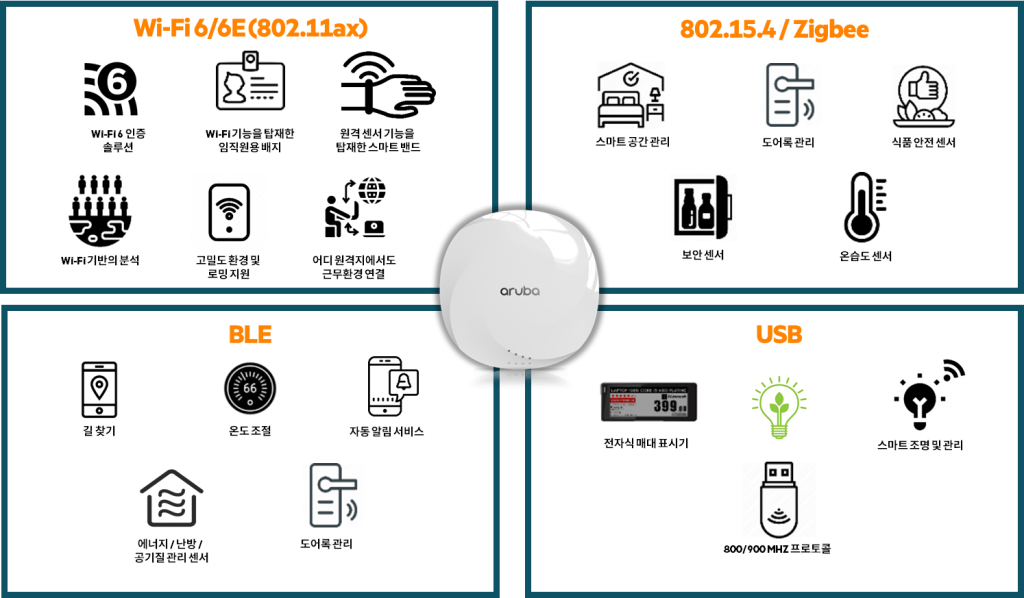
To simplify IoT support and reduce costs, APs can act as IoT platforms, eliminating the need for separate overlays.
4. What about cloud network management? Is it right for me? Does it increase security risks?
As the number of remote workers and IoT connected devices grows, traditional networks are becoming too complex to manage.
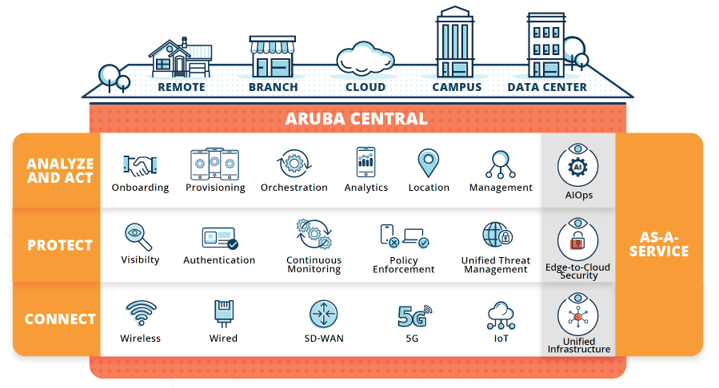
Adding to this complexity, WAN, wired, and wireless networks are often managed independently, creating issues that can lead to downtime and poor user experiences. Cloud-based network managementReduce costs, increase IT agility, and improve IT productivity through AIOps and unified management.
To address security concerns, cloud-based network management SASE and Zero Trust Principles, and enforces unified policies across users, applications, and devices.
5. Do I need to update all my APs to Wi-Fi 6 or Wi-Fi 6E access points?
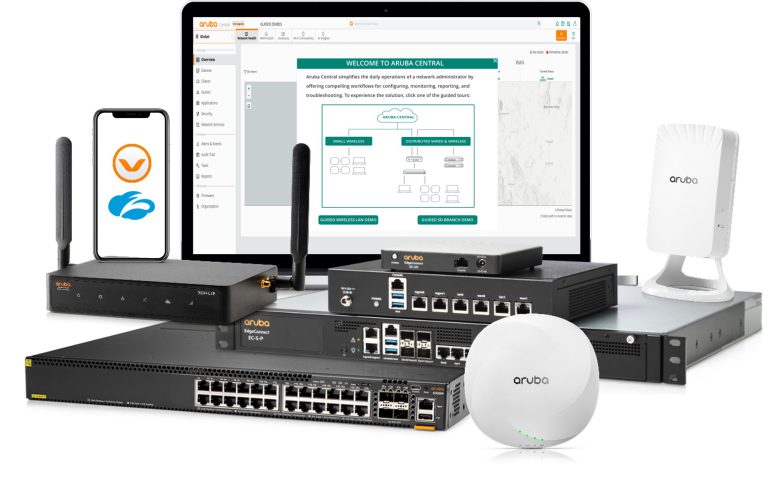
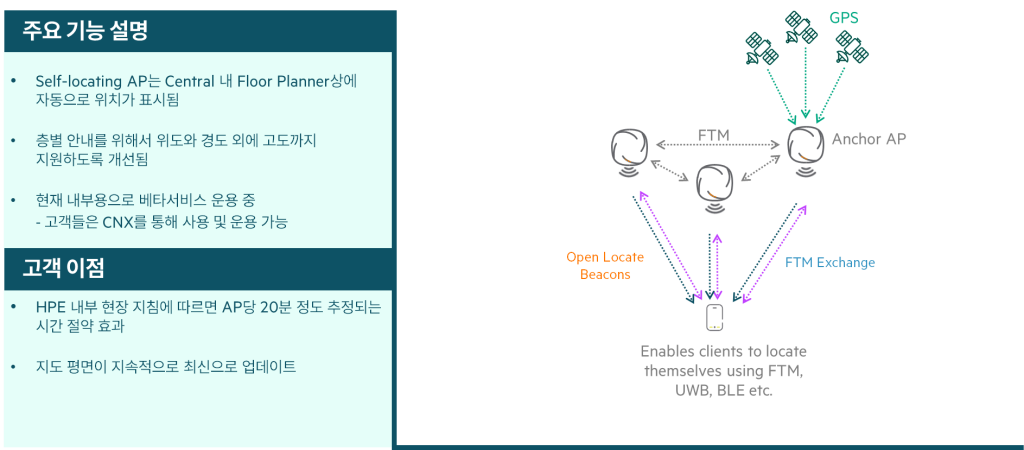
Aruba's Wi-Fi 6 and Wi-Fi 6E APs deliver significantly improved capacity and security to support growing client and IoT device density, cloud adoption, and high-bandwidth applications. They also support wayfinding, high-value asset tracking, and other location-aware requirements. New indoor location featuresThis is equipped.
In particular, many customers have reported that Wi-Fi 6E helps future-proof their networks and extend replacement cycles by two years or more.
While some IT organizations are extending the life of their WLANs by only replacing them with Wi-Fi 6E, others are designing their networks to deploy Wi-Fi 6E APs only in high-density areas or where high-bandwidth applications are frequently used, such as conference rooms for video collaboration during hybrid meetings, college dormitories supporting very large student populations using multiple devices, and hospitals for telemedicine.
6. If I upgrade the AP, do I also need to upgrade the campus switches?
In most cases, upgrading to Wi-Fi 6 or Wi-Fi 6E does not require updating campus switch equipment, but it does require updating multi-gigabit capable devices such as Aruba CX switching. Next-generation switchSometimes, the switches are replaced with older ones.
Some APs offer a smart power consumption model, which can be disabled to accommodate existing power availability.
In some industries, such as real estate, teams change office space or relocate to smaller locations, impacting their wired and wireless architecture.
7. Do I need to move my AP when upgrading to a Wi-Fi 6E access point?
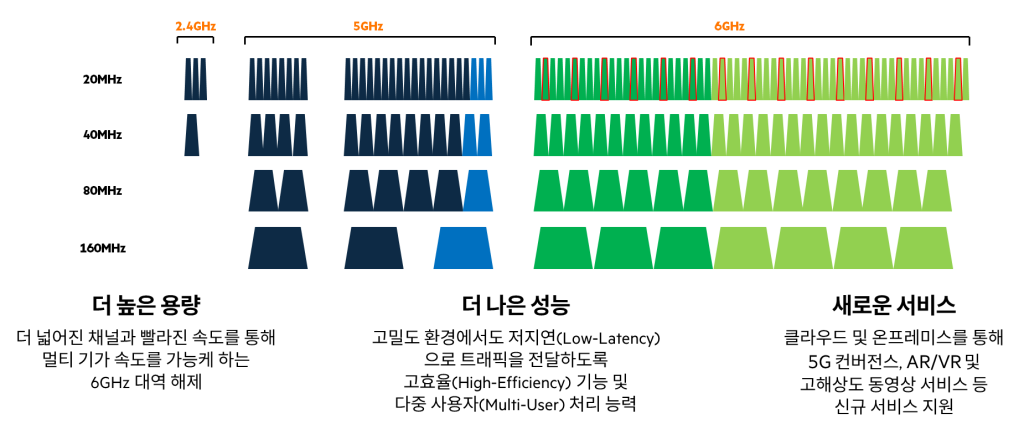
The 6GHz band behaves very similarly to the 5GHz band.
Aruba customers do not need to reposition APs due to signal strength or add Wi-Fi 6E APs to improve coverage.
8. Should I wait for Wi-Fi 7?
There's always the temptation to wait for the latest and greatest technology.
But many wireless networks are already expanding to accommodate IoT, video, and increasing device density, and now they can take advantage of clean new spectrum ranging from 500 to 1200 MHz, depending on the country, and wider 80/160 MHz, which is ideal for high-bandwidth, low-latency apps like high-definition video.
Analysts expect that by the time Wi-Fi 7 AP shipments begin to meaningfully increase, Wi-Fi 6E will account for more than a quarter of all APs shipped (650 Group).
For more information about Wi-Fi 7, please refer to the blog post below.
As the pandemic passes and a new era, the new normal, approaches, our IT infrastructure environment is changing significantly.
In particular, as the expectations of employees and general users increase and the requirements for prioritizing user experience increase, various considerations are needed to configure and design a new Wi-Fi environment.
I hope this Q&A will help you with these concerns.
Don't be afraid to explore new technologies and solutions to provide a better network environment!