[ACSA Education #13] Hierarchical Model
When designing and architecting networks, we talk a lot about hierarchical design.
In English, it's called a Hierarchical Model. Let's take a look at why it's necessary.
The hierarchical model presents the network in a modular form. Ultimately, this simplifies design and provides for future infrastructure expansion. Therefore, the network is divided into layers, each with specific functions and responsibilities. This allows for availability, fault tolerance, resiliency, and security.
Some engineers choose a two-tier or three-tier design. This decision depends on several factors, including:.
- Number of wired and wireless users
- Mobility requirements
- Number of wireless access points
- Cable connection
- Number of buildings on campus
- Security requirements
- Protocol and Functional Requirements
2hierarchy model (2-tier Hierarchy)
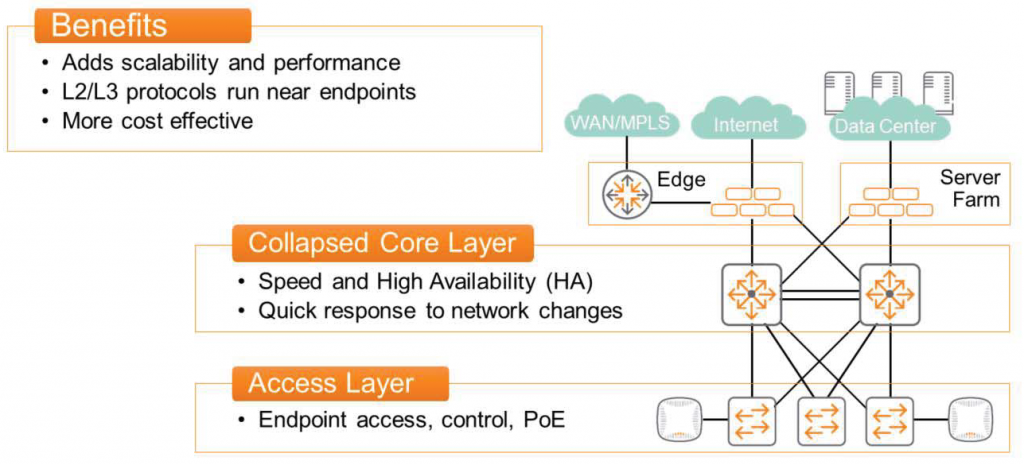
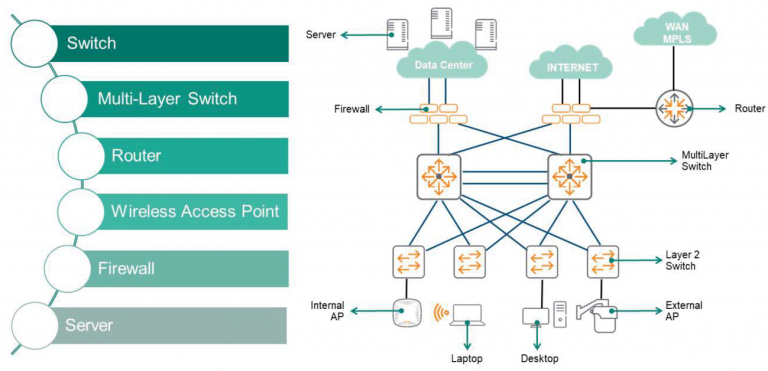
Two-tier design literally means dividing the network into two tiers: access and core.
This means that Layer 2 and Layer 3 protocols operate near the endpoints. This design allows for secure network protection through Access Control Lists (ACLs) and traffic analysis and prioritization through Quality of Service (QoS). This ensures optimal performance for the most mission-critical and traffic-sensitive applications (e.g., delay, latency, etc.).
Wireless network environments can also benefit from a two-layer design. Multi-layer access switches receive and process critical traffic from access points (APs). Appropriate security and QoS policies are applied, and traffic is quickly routed to its destination.
Core hierarchyThere are three key elements: speed, speed, and speed! This core switch must switch and route packets as quickly as possible. Therefore, most end-user services requiring intensive processing are moved to the access layer.
Moreover, reliability is crucial for the core layer. High availability (HA) is as important as quickly responding to network changes.
access hierarchyThe switches in the network provide resiliency and minimize operational disruptions through redundant connections to the core switch. The access layer provides connectivity to endpoints along with various Layer 2 and Layer 3 features, including Power over Ethernet (PoE).
Additionally, other sections of the network can also be connected to the core layer.
For example, there may be an edge network with WAN links and security equipment. A server farm with physical servers and virtualized infrastructure may also be connected to the core layer.
3hierarchy model (3-tier Hierarchy)
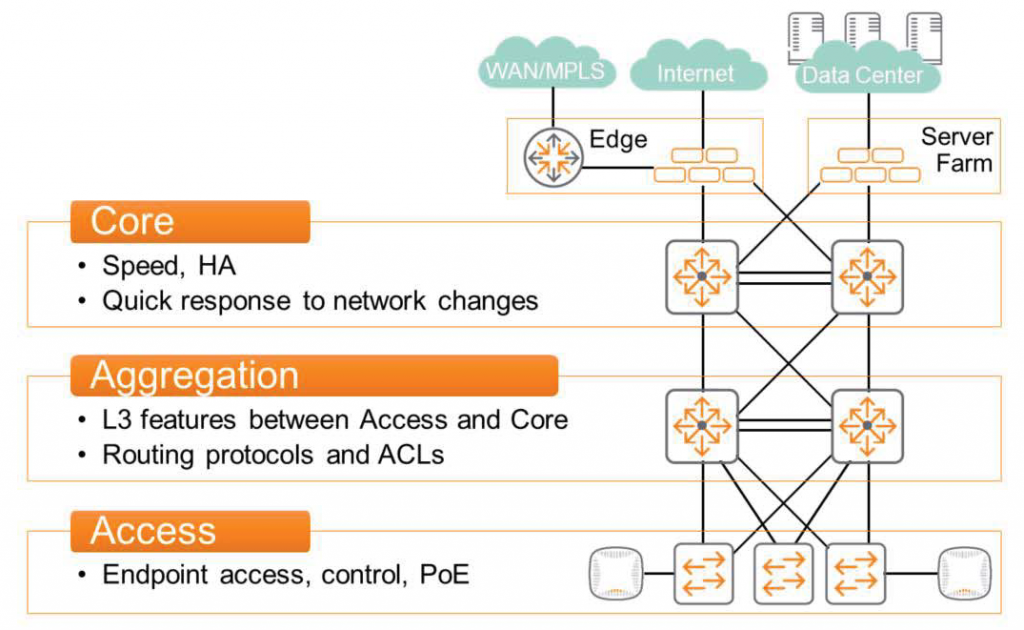
A three-tier design divides the network into three layers: access, aggregation, and core.
Core hierarchyIt's not much different from a two-tier design. It switches and routes packets as quickly as possible, maintains high availability, and responds quickly to network changes. It connects to the aggregation layer, edge, and server farm networks.
access hierarchy As with the two-layer design, it provides endpoint connectivity through PoE and Layer 2 capabilities.
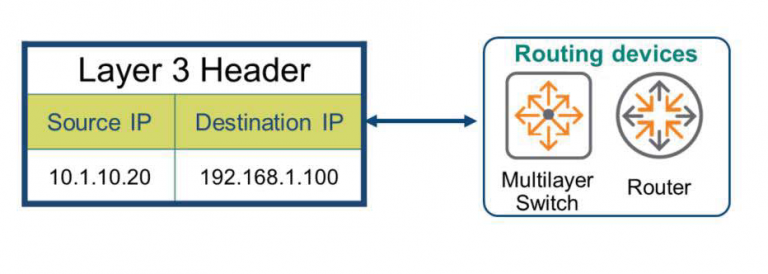
Aggregation hierarchyProvides Layer 3 functionality for traffic entering and leaving the access layer.
Routing protocols and ACLs ensure that traffic is correctly routed along the best path. Essentially, the original core layer is split and expanded into two layers. While this may increase cost and complexity, it facilitates scalability in large-scale network environments.
There are many considerations that need to be taken into account when designing a network.
Engineers need to design an optimized system that meets requirements, considering factors such as future scalability and security, the types of connected devices, and the types of services. As the IT infrastructure environment rapidly changes and becomes increasingly complex, an optimized network design will be the foundation for delivering the best performance to users.